Guide · QR access
Opening a door with your smartphone: QR, badge, code or app
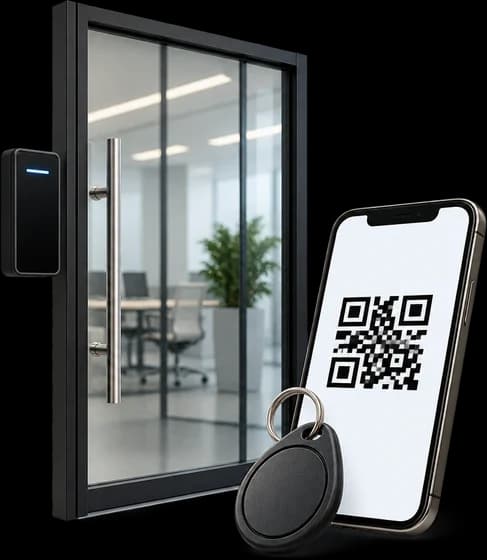
To open a door with a smartphone you need an electric lock, a reader or module beside the door and a system that decides who can come in. For a business with staff and suppliers, a QR code or a personal badge is most practical. A keypad code is simple but gets passed from hand to hand, and a Wi-Fi door opener depends on the internet. Before choosing, decide what should happen when the power fails.
Difficulty: Technician levelUpdated 25 October 2026
A door that is also an emergency exit must always open from the inside, without an app, codes or badges, even during a blackout. Wiring electric locks, readers and power supplies is a job for an authorised company: do not do it yourself.
Step by step
Tap a step to mark it as done.
QR code, badge, code or app: the comparison
A QR code in the app is convenient when there are many users and they change often, as in gyms, coworking spaces and offices with suppliers: the code arrives on the phone, has an expiry and is revoked remotely. A fixed QR can be photographed and passed to someone else, so many systems use codes that change every few seconds or appear only in the personal app.
A badge, or NFC card, is held up to the reader and works without a phone. The technology matters: 125 kHz badges, the cheapest, can be copied cheaply, while 13.56 MHz badges with encryption are much harder to clone. Always ask which type you are being offered.
A keypad code needs no phone or badge, but a shared code is passed from hand to hand and does not tell you who came in. If you choose it, give a different code to each person and change the codes of anyone who leaves. Bluetooth apps open when you are near the door and can work without internet. Wi-Fi ones let you open remotely too, but depend on the network.
Wi-Fi door opener: convenient, with some caution
A Wi-Fi door opener is a module connected to the lock and to the premises' network, controlled from an app. It is useful for letting a courier in when you are away or for opening the shop from your phone.
For a business, three questions apply: what happens if the internet goes down, who updates the software and where the entry data ends up. A networked module must be protected like a computer, with passwords different from the factory ones and regular updates, and it is best put on a network separate from your customers'.
Electric door lock: which to choose
There are three common solutions. The electric strike replaces the plate in the frame and releases the latch of the lock you already have. The electromagnet holds the door shut with a magnet and releases it when you cut its power. The motorised lock moves the bolts on its own and is the typical choice for security doors and main entrances.
The choice depends on the door, the level of security you need and what must happen without power. On emergency exits you must be able to get out with a simple action even in the event of a fault: certified systems exist for this, complying with EN 13637. On fire doors, any change must be assessed with the fire safety technician.
The lock is joined by the reader, a power supply and often a backup battery. These are electrical and electronic connections: under DM 37/2008 they are carried out by a company authorised for letters A and B, which issues the declaration of conformity at the end of the work.
Entry log and employee privacy
Every opening with a QR code, badge or app is logged with name and time. For employees, the Workers' Statute treats these systems as tools for recording access and attendance, which do not require the union agreement that cameras do. The GDPR obligations remain: a clear notice, limited access to the data and retention periods decided beforehand.
Fingerprints and facial recognition are a separate case. They are biometric data: the privacy authority has fined companies several times for using them to track employee attendance, and in the Garante's view the worker's consent is not enough to make them lawful. In an office or a shop, QR codes and personal badges give the same traceability without this risk.
When to stop and call a technician
- Power has to be brought to the door or the lock, reader and power supply have to be connected: you need a company authorised under DM 37/2008 for letters A and B
- The door to be controlled is an emergency exit or a fire door
- You have a security door or a main entrance and want to motorise the lock
- The entrance is shared by a condominium: you first need the go-ahead of the administrator or the owners' meeting
- You are offered fingerprints or facial recognition for employees
Frequently asked questions
Can you open a door with a smartphone without internet?
Yes, if the system checks codes on site: QR readers and Bluetooth apps can work offline. Door openers that only work through the cloud stop when the connection drops.
Is a Wi-Fi door opener secure?
It can be, if you change the factory passwords, update the software and put it on a network separate from your customers'. For a business with many people, a system with personal access and an entry log is better.
Badge or QR code: which is better?
A badge works without a phone, but it has to be handed out and collected. The QR arrives in the app, is revoked remotely and is convenient with users who change often. Many systems accept both.
How often should the door opener code be changed?
A shared code should be changed at least whenever someone leaves the job or a supplier relationship ends. Better still, a personal code for each person, deactivated when no longer needed.
Do I need to change the door lock?
Often not: on many doors it is enough to add an electric strike and the reader. For security doors, glazed doors or emergency exits, the solution is chosen after a site visit.
Do you install smartphone door opening in Campania?
Yes, we build QR code access for offices, shops and businesses across Campania, with an app that carries your business name. We price on a quote, after a site visit.
Read also
Ready when you need us.
Tell us about your business and how many doors you want checked: we call you back for the site visit and the quote.